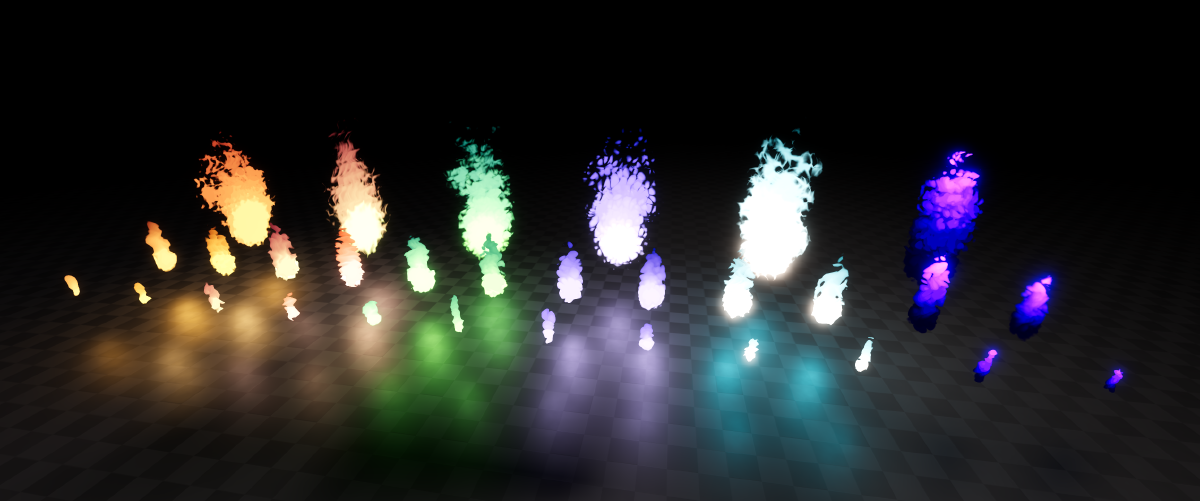
Heat up your Godot 4.x game with these flaming effects! Perfect for ambience, campfires, torches, projectiles and even status effects. These effects are FIRE (sorry for that joke).
Features#
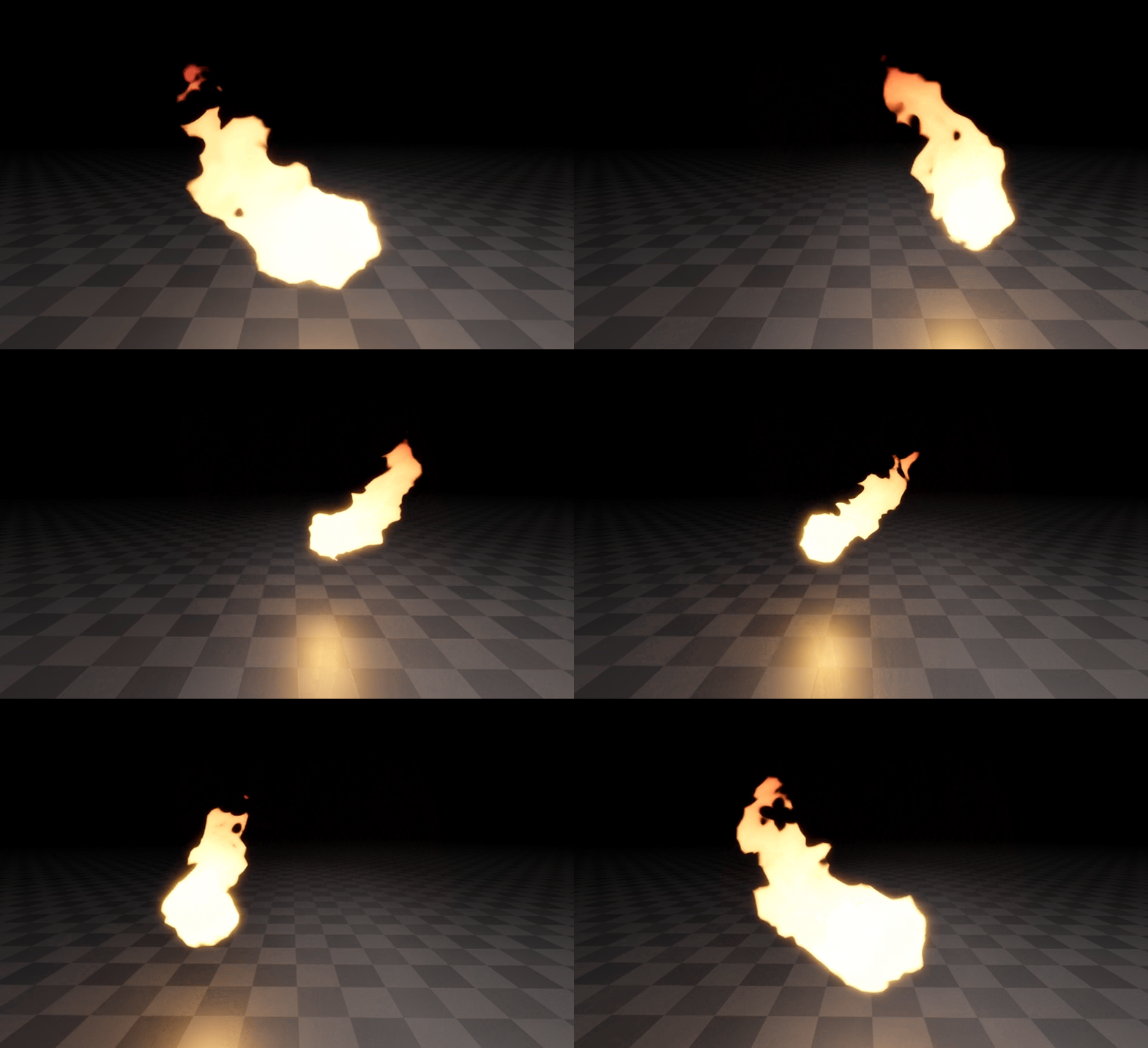
- Naturally flowing flames even when moved around.
- Easily control the shape using a Godot’s built in noise.
- Customizable colors, wobble, edge softness and more.
- Animations for turning flames on and off.
- Easy audio integration to animations.
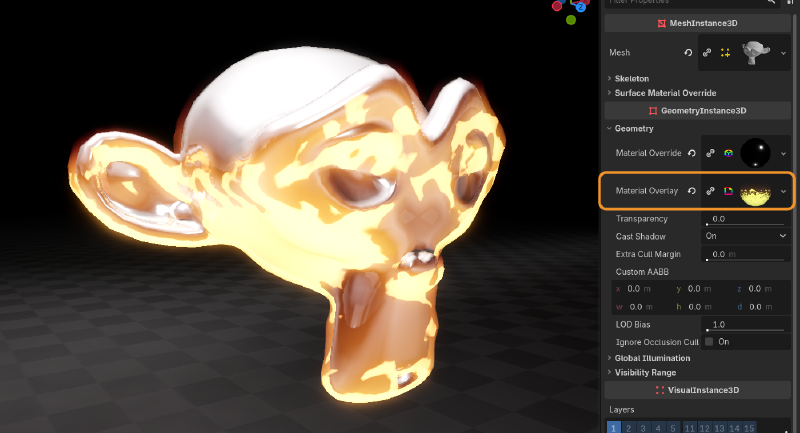
- Overlay materials that can be added to any objects Material Overlay slot. (Demonstrated by our friend Suzanne the Monkey)
Usage#
Importing Effects to Godot#
To import Flame FX to Godot, you can simply drag the provided assets folder in your Godot project directory.
In the case you have other assets from me, it’s advised to override your existing assets folder to merge this one with the others.
This is because some of my assets use some shared textures, shaders and scripts, so merging the folders prevents any conflicts and
overall keeps things simpler.
Using Fire Effects#
Fire particle effects can be found under assets/BinbunVFX_Vol2/FlameFX/effects.
When imported into Godot, you can simply drag the .tscn files from their respective folders to your scene.
Using Overlay Materials#
Overlay materials can be found under assets/BinbunVFX_Vol2/FlameFX/effects/overlays
In addition to the fire particle effects, the pack also contains fire overlay materials that are meant to be assigned to any object in Godot as an overlay, meaning it won’t mess with any existing materials on that object.
- Select the MeshInstance you want to set on fire.
- Under GeometryInstance3D > Geometry you can find Material Overlay.
- Drag the fire overlay material on the Material Overlay slot and you’re done!
Resizing Effects#
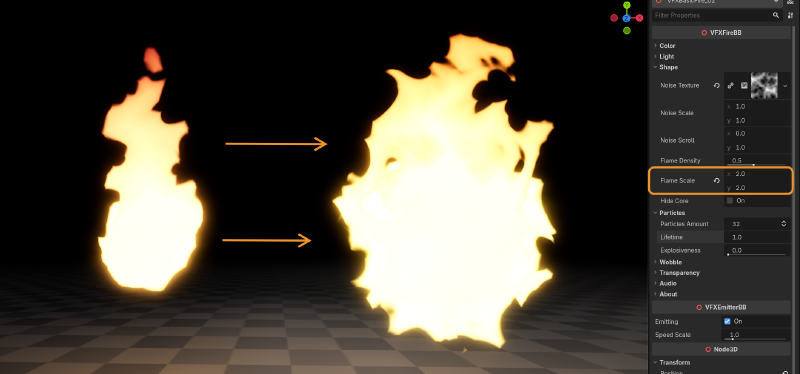
You have a few different options for changing the size of the effect
To increase the base scale of the emitted particles, you can change Shape > flame_scale property.
You can also make the flames of the fire effect go higher by increasing the Particles > lifetime.
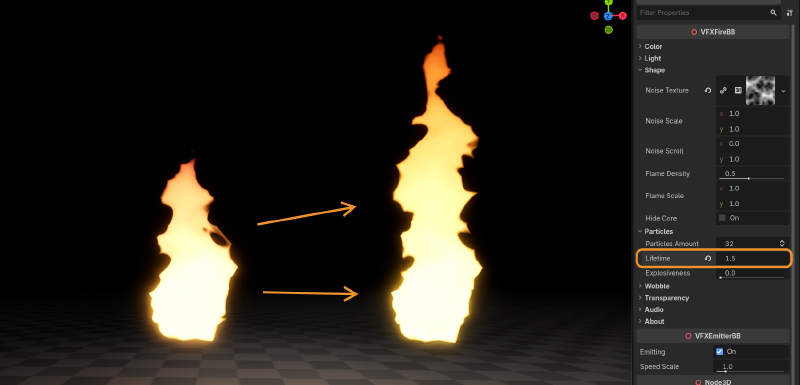
It is not advised to use Transform > Scale
Transform > ScaleMost likely it won’t do anything except mess up the particles
Wobble#
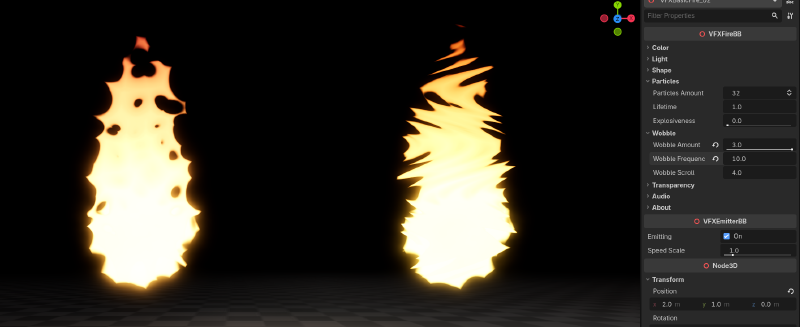
Using the wobble properties you can give a nice wavy wobbly squiggly feel to the fire. It’s basically using a sine wave based on the y direction to distort the noise texture used in the flame effect.
You are able to increase wobble_amount beyond the suggested range of 0 to 1.0:
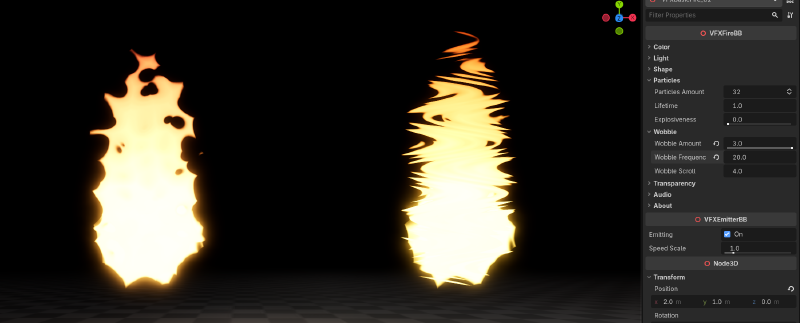
With wobble_frequency you can make that wobble more frequent, or in other words more tightly packed:
Removing the “Rate This Effect!” button#
If you find the “Rate This Effect!” button annoying, you’re absolutely free to remove it. It’s a new thing I’m trying out.
You can find the script for VFXFireBB in assets/BinbunVFX_Vol2/FlameFX/script/VFXFireBB.gd. At the bottom of that script you might see something like this:
@export_tool_button("Rate This Effect!", "Favorites") var rate_asset_button : Callable:
	get():
		return func(): OS.shell_open("https://binbun3d.itch.io/flame-fx/rate")
Remove that and you’re free from the button.
VFXFireBB#
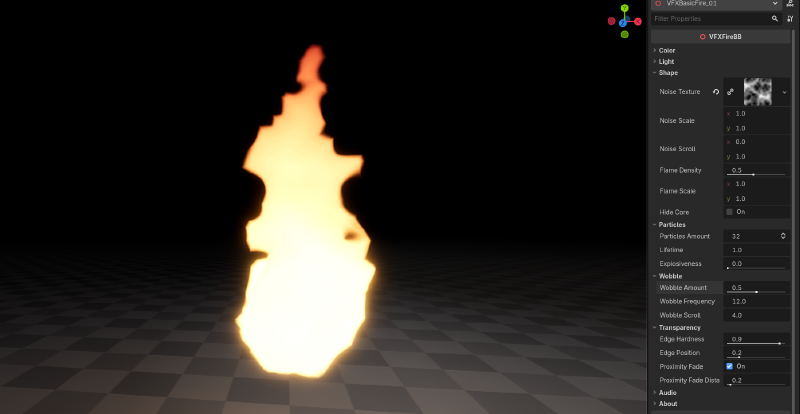
Fire effects come with a controller script for easy customizations in the inspector.
Color#
| Property | Description |
|---|---|
primary_color | Controls what the color is at the core of the flames. |
secondary_color | Controls the color flames transition to at the top. |
emission | Emission of the effect. Essentially the brightness |
color_curve | The curve used in the transition between primary_color and secondary_color |
Light#
| Property | Description |
|---|---|
light_color | Color of the light emitted by the effect |
light_energy | Strength multiplier of the light. (godot docs link) |
light_indirect_energy | Secondary strength multiplier of the light used with indirect light. (godot docs link) |
light_volumetric_fog_energy | Secondary strength multiplier of the light used with volumetric fog. (godot docs link) |
Shape#
| Property | Description |
|---|---|
noise_texture | The noise texture that’s used for the shape of this effect. The entire effect is based on this noise texture, so the biggest changes can be achieved with it. Note that it is suggested to use a seamless texture (for Godot’s NoiseTexture you can enable seamless) for best results. |
noise_scale | Value used to scale the noise_texture. Higher values make the noise more zoomed out. |
noise_scroll | The velocity at which the noise_texture moves. |
flame_density | Controls the density of the flames. Essentially controls the blending between noise_texture and a radial gradient within each particle |
flame_scale | Controls the size of meshes used in this effect. Use this to make your flames wider and bigger. |
hide_core | Hides an extra part at the root of the flame used to make the root of the flames look more stable. |
Particles#
| Property | Description |
|---|---|
particles_amount | Amount of particles used by this effect. Since this effect samples the noise_texture using world coordinates, the amount of particles won’t have a big effect on the style of the flames. Increase this if the effect looks jittery. Turning it down a bit might give a slight performance boost. |
lifetime | Lifetime of the flame particles. Increasing this will make the flames go higher. |
explosiveness | Explosiveness of the flame particles. |
Wobble#
| Property | Description |
|---|---|
wobble_amount | How much the flames are distorted side to side. |
wobble_frequency | The frequency of wobble on the flames. Higher values results in a tighter wave |
wobble_scroll | How fast the wave used to wobble the flames moves along the flames. Negative values move it downward. |
Transparency#
| Property | Description | Type |
|---|---|---|
edge_hardness | Hardness of the edges of flames. Setting this to 1.0 might break the illusion of a continuous flame. | float |
edge_position | Position of the edge on the shape. Higher values can make the effect look smaller. | float |
proximity_fade | Enables proximity fade. Can be performance intensive, but will also prevent effect from looking like it’s clipping with surfaces. Happens before edge_hardness is calculated. | bool |
proximity_fade_distance | Distance of proximity_fade | float |
Audio#
| Property | Description | Type |
|---|---|---|
animate_volume | When enabled, will fade audio based on VFXEmitterBB parameter emitting | bool |
Other audio properties are the same as AudioStreamPlayer3D.
Questions#
Can I use the effects in a commercial game?#
Yes. This pack is licensed under Creative Commons Zero, meaning you’re free to use it in a commercial game. For more information check the given license.txt file
Do I have to mention Binbun3D?#
Nope, but it’s always appreciated!
I want my game showcased by Binbun3D!!!!!#
Hey that’s not a question… It’s a demand. Well lucky you I’d love to showcase games that use my assets! Send me a message on my socials and I’ll see what I can do!


